How to Style Your Profile With Cute Fonts on Instagram
Have you ever scrolled past a profile with pretty cursive bios and bubble letters and wondered how they did it? Instagram lacks a built-in font picker, so those cute fonts actually come from Unicode text generators and a quick copy-and-paste method. This guide walks you through the 3-step copy trick, explores the best free font websites and keyboard apps, and shares easy fixes when your text stops working.
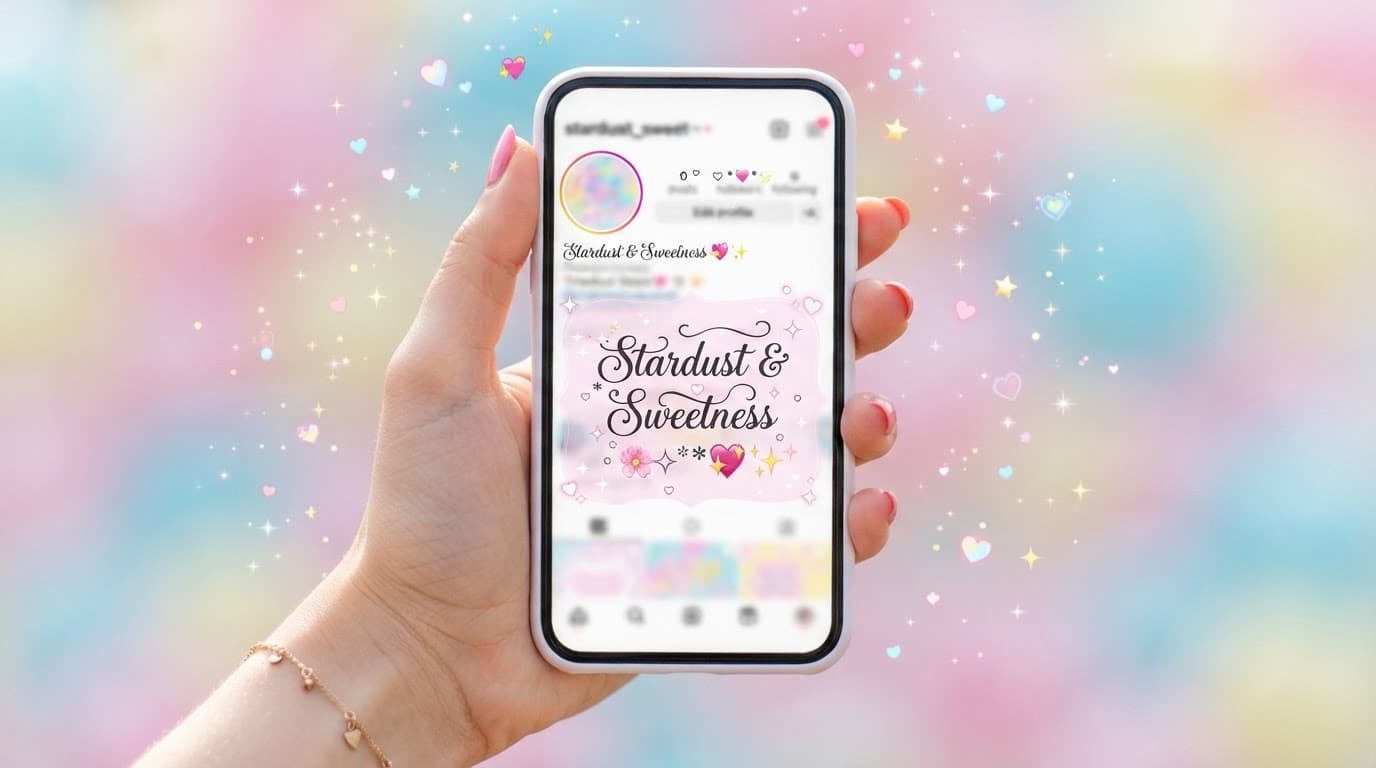
How to Get Cute Fonts on Instagram in 3 Simple Steps
Instagram does not offer a font menu, but the app accepts various Unicode characters. Text generators convert your normal letters into special characters that look like cute fonts inside the app. This method is free, works on both iPhone and Android, and takes under a minute to complete.
Step 1: Open a Font Generator and Type Your Text
Open a Unicode font generator in your mobile or computer browser. The LingoJam Fonts for Instagram page at LingoJam Fonts for Instagram is an easy go-to tool. There is nothing to install, and you do not need an account. As you type into the text box, the generator displays a live list of styled versions. This same workflow works for a one-word display name or a long caption.
Step 2: Pick Your Favorite Style and Copy It
You will see styles like cursive script, bubble letters, small caps, and bold italic versions. Tap or click the copy button next to the style you want so the text goes straight to your clipboard. Some styles are harder to read, and heavy decorated designs can take up more character space in your bio. Choose a clean option that matches your personal brand.
Step 3: Paste It Into Your Bio, Caption, or Comments
The pasted text works in your Instagram bio and display name under Edit Profile, post captions, comments, and Story text boxes. Remember that bios have a strict 150-character limit, as noted in official guidelines like the Facebook Instagram Help Center Bio Guide. If Instagram changes your fancy text back to normal letters, paste the text from the generator into Apple Notes first, copy it again from there, and then paste it into Instagram.
The Best Free Tools for Cute Instagram Fonts
font generator websites use the copy-and-paste method, while keyboard apps let you type styled text directly inside the app. Generators are best for a one-time bio change, while keyboard apps suit people who want cute text all the time.

Copy-Paste Generators: LingoJam, Cool Symbol, and Font Villa
LingoJam provides a clean list of styles and one-tap copy buttons. Cool Symbol works well when you want to add small decorative symbols. Font Villa is another simple browser generator with a different set of looks. All three tools are free, require no download, and work smoothly on iPhone and Android. Bookmark your favorite site for the next time you update your profile.
Keyboard Apps: Fonts, Fancy Key, and Facemoji
Keyboard apps work by installing an app from the App Store or Google Play, enabling it in your phone settings, and switching to that keyboard while typing. The Fonts keyboard is a popular pick, while Fancy Key and Facemoji add emoji shortcuts and kaomoji. Grant full access only to a keyboard you truly trust, because third-party keyboards interact with your keystrokes.
Canva for Custom Text Graphics, Stories, and Highlight Covers
Canva makes an image rather than a live font you type into Instagram. Open Canva, choose a Story or post template, add a text box, pick a real font from the library, decorate with colors, and export the image. This workflow works well for a welcome highlight cover or a quote card. The image then posts to Instagram just like a normal photo.
Instagram Fonts Not Working? Fix These Issues
You pasted a cute font, it looked great, and then Instagram turned it back into normal text or showed a blank box on a friend's phone. Most problems happen because decorative Instagram fonts are actually made of Unicode characters, and some symbols do not survive Instagram's filter.
Choose a Style Instagram Won't Strip
Dense script characters often appear unsupported, so Instagram drops them automatically. Choose simpler styles such as circled letters, full-width letters, or bold letters because these tend to survive. In addition, invisible spaces in the generated text can break the paste function. Pasted text into a plain text note first, copy it again, and then paste it into Instagram. If the app still fails, try using a desktop browser.
Respect the 150-Character Bio Limit
An Instagram bio allows only 150 characters. Some Unicode letters consume more character slots than a normal key, so a long bio filled with fancy text gets cut off or rejected. Keep your main bio text in normal letters and use cute fonts only on your display name or a single sentence. Check the exact character count in a notes app before pasting your text.
Keep It Accessible for Screen Readers
Unicode fancy text is not read like normal words by screen readers such as Apple VoiceOver and Android TalkBack. Instead, the words are read as separate math symbols or come out as gibberish, which creates difficulties for visually impaired users. Use a cute font for a display name and a tagline only, and keep links, phone numbers, and useful caption details in normal text.
Frequently Asked Questions
Are font generator websites safe to use? ▼
Reputable font generator sites turn text into Unicode right in your browser without requiring a login. If a site asks for your Instagram password or forces you to install a suspicious app, close the tab immediately. Bookmark LingoJam or a similar trusted site to stay safe.
Do cute fonts hurt your Instagram reach? ▼
Instagram search reads normal text better than Unicode symbols, so captions written entirely in fancy fonts may not appear in search results. Keep your main body text in normal letters and use cute fonts for your display name or a short bio tagline. That way, you get the style you want without losing search visibility.
Do I need to install an app to use cute fonts? ▼
Web generators combined with the copy-and-paste method are enough for most users, and they work directly in your mobile browser and the Instagram app. custom keyboard apps are an optional shortcut for people who want to type decorative letters directly without copying from another page. Start with a web generator and add a keyboard app later if you need it.
Why does my font look different on my friend's phone? ▼
Some older phone models do not have all the Unicode letters needed to draw the fancy typeface, so the text can appear as a blank box or a simple font. Test your chosen style on a second device before posting the font across your bio. If it looks weird, switch to a simpler style like circled or bold letters to fix the issue.